

.png)

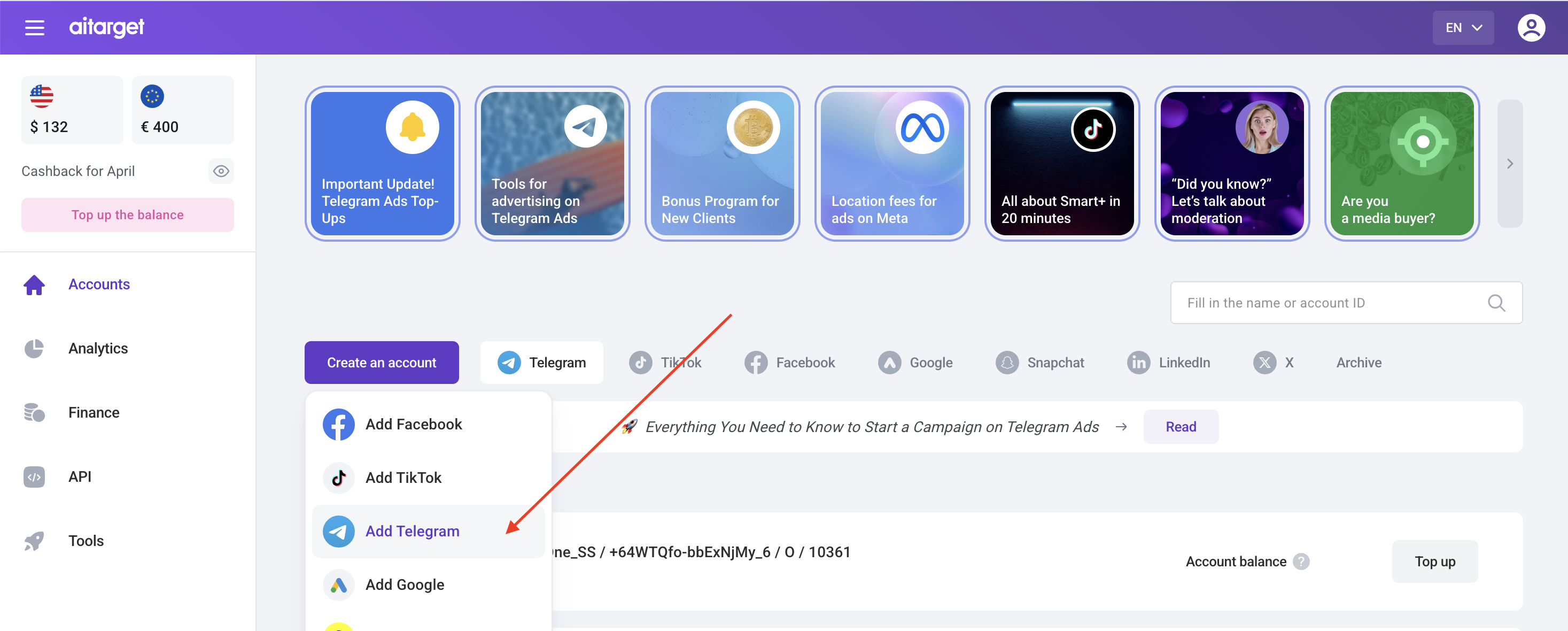
1. Log in to your Aitarget account. You'll be taken to the "Accounts" section. Click "Create an account" and select "Add Telegram."
2. In the window that opens, specify:
- Account type (basic (TON) or advanced (EURO))
- Your business topic;
- Website link;
- Link to the channel/bot you want to promote (optional);
- Telegram users who should be granted access to the advertising account.
If you don't already use Telegram, download the app from the link and create an account.

3. Click «Get Telegram Ads».
4. We'll register your Telegram Ads account within 1 business day.
5. Go to Telegram Ads and log in using the phone number you provided when creating your account on Telegram.

6. Confirm your login in the Telegram app.

7. Once you go to Telegram Ads, you will see a new account like "adhand-XXXXX" - this is the Telegram Ads advertising account.

8. Log in to your ad account to create an ad.


.jpg)
_converted.webp)

%20(1).png)

.png)
.png)

.jpg)



.png)